
Best CRM Software for Small Business: Top Tools, Features, and Benefits
Choosing the best CRM software for small business can make a significant difference in how efficiently a company manages customers, tracks leads, handles sales, and builds long-term relationships. As businesses grow, managing customer information through spreadsheets, emails, and manual records can become difficult. Important follow-ups may be missed, communication can become disorganized, and sales opportunities may be lost.
Customer Relationship Management (CRM) software helps solve these problems by bringing customer information, sales activities, communication history, and business processes together in one place. Whether you operate a startup, online store, consultancy, agency, or local service company, the right CRM system can help you save time and improve customer satisfaction.
This guide explores some of the best CRM platforms for small businesses, their key features, advantages, limitations, and the factors to consider before selecting one.
What Is CRM Software?
CRM stands for Customer Relationship Management. It refers to software that helps businesses organize and manage their interactions with existing customers and potential clients.
Instead of maintaining separate spreadsheets and email records, a CRM system stores important customer details in a centralized database. Employees can use it to monitor leads, record conversations, schedule follow-ups, manage deals, and understand customer requirements.
For example, when a potential customer contacts a digital marketing agency, the sales team can add their details to the CRM, record the services they need, schedule a follow-up, and track the opportunity until the customer makes a decision.
Common CRM functions include:
- Contact and customer information management
- Lead generation and tracking
- Sales pipeline management
- Email and communication history
- Follow-up reminders
- Workflow automation
- Sales reporting and analytics
- Customer support management
- Marketing campaign management
- Team collaboration
A CRM system makes customer management more organized and helps small businesses maintain consistent communication.
Best CRM Software for Small Business
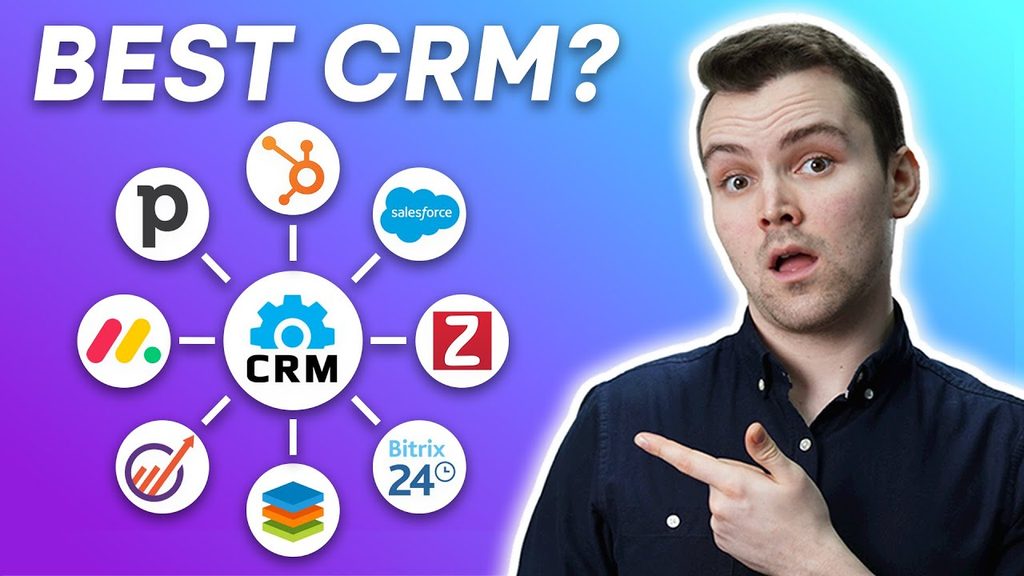
Several CRM platforms provide features designed for startups, independent professionals, and growing companies. The right option depends on your budget, team size, sales process, and required integrations.
Here are some popular CRM solutions worth considering.
1. Zoho CRM
Zoho CRM is a popular choice for small and medium-sized businesses that need customer management, sales automation, and customization options. It provides tools for organizing leads, managing contacts, tracking opportunities, and monitoring sales performance.
The platform is particularly useful for businesses that want to connect their CRM with other business applications.
Key Features
- Lead and contact management
- Sales pipeline tracking
- Workflow automation
- Custom reports and dashboards
- Email integration
- Sales forecasting
- Custom fields and modules
- Mobile CRM access
- Integration with other Zoho applications
Advantages
Zoho CRM offers a broad selection of features and supports different business processes. Companies can begin with basic customer management and add more advanced functionality as their requirements grow.
Limitations
The wide range of settings and customization options may require some learning and initial configuration.
Best For: Small businesses looking for an affordable and flexible CRM platform.
2. HubSpot CRM
HubSpot CRM is known for its user-friendly interface and connected sales, marketing, and customer service tools. It is a useful starting point for businesses that want to organize customer information without immediately investing in a complicated CRM system.
HubSpot offers free CRM tools, although advanced features and higher usage limits are available through paid plans.
Key Features
- Contact and company management
- Deal and pipeline tracking
- Email tracking
- Meeting scheduling
- Sales activity management
- Customer communication history
- Reporting dashboards
- Marketing and customer service integrations
Advantages
HubSpot is relatively easy to understand, making it suitable for businesses that are implementing CRM software for the first time. Its connected ecosystem can also support companies as they expand their marketing and sales operations.
Limitations
Some advanced automation, reporting, and marketing features require paid subscriptions. Businesses should review plan limits before committing.
Best For: Startups and small businesses that want an easy-to-use CRM with marketing capabilities.
3. Freshsales
Freshsales is a sales-focused CRM platform developed by Freshworks. It helps businesses organize customer information, manage leads, monitor deals, and improve communication with prospects.
It can be particularly useful for companies that depend on regular sales calls, emails, and follow-up activities.
Key Features
- Lead and contact management
- Deal tracking
- Sales activity monitoring
- Email management
- Built-in communication capabilities on supported plans
- Sales automation
- Reporting and analytics
- AI-assisted sales features
Advantages
Freshsales combines several sales management functions in one platform. Its features can help sales representatives prioritize leads and manage their daily activities.
Limitations
Available communication, automation, and AI capabilities depend on the selected plan and configuration.
Best For: Small businesses with dedicated sales teams and frequent customer follow-ups.
4. Salesforce Starter Suite
Salesforce is a widely recognized CRM platform offering customer management, sales tools, automation, and business reporting. Its Starter Suite provides an entry point for smaller companies that want to use the Salesforce ecosystem.
Businesses with plans for long-term growth may find its wider platform useful.
Key Features
- Customer and contact management
- Lead tracking
- Opportunity management
- Sales activity monitoring
- Basic automation
- Business reporting
- Integration options
- Access to a broader Salesforce ecosystem
Advantages
Salesforce offers extensive functionality and a platform that can support increasingly complex business requirements. It is worth considering when a company expects its CRM needs to expand.
Limitations
Some businesses may find its setup and administration more complicated than simpler CRM products. Costs can also increase when additional features or services are required.
Best For: Growing businesses that expect more advanced customer management requirements.
5. Pipedrive
Pipedrive is a sales-focused CRM designed around visual sales pipeline management. It allows users to see where each deal stands and identify the next action required to move an opportunity forward.
Its straightforward approach makes it useful for small teams that want to concentrate on sales activities.
Key Features
- Visual sales pipeline
- Contact management
- Deal tracking
- Sales activity reminders
- Email synchronization
- Sales reports
- Workflow automation on supported plans
- Third-party integrations
Advantages
Pipedrive makes it easier to understand the sales process. Sales representatives can monitor opportunities, update deal stages, and organize their daily work.
Limitations
Businesses that need extensive marketing automation or customer service functionality may need additional applications.
Best For: Small sales teams that want simple and visual pipeline management.
6. monday CRM
monday CRM is a customizable customer relationship management platform built around the monday.com work management environment. It helps teams organize contacts, track opportunities, manage sales activities, and coordinate work.
Businesses that already use monday.com may find it convenient to manage sales and other business processes within a connected environment.
Key Features
- Customizable sales pipelines
- Contact and lead management
- Task management
- Workflow automation
- Sales dashboards
- Team collaboration
- Activity tracking
- Integrations with other applications
Advantages
Its visual interface and customizable workflows can help teams organize customer-related activities. It can also connect sales processes with broader project management tasks.
Limitations
Some CRM features and automation capabilities depend on the selected subscription. Businesses should also check minimum seat requirements.
Best For: Small businesses that want sales management and team collaboration in one platform.
7. EngageBay
EngageBay combines CRM, marketing automation, and customer support functionality. It is designed for smaller companies that want to manage multiple customer-facing activities through a connected system.
It can be useful for businesses that want to coordinate email marketing, lead management, and customer communication.
Key Features
- Contact management
- Lead tracking
- Sales pipeline management
- Email marketing
- Marketing automation
- Customer support tools
- Landing page functionality
- Reporting and analytics
Advantages
EngageBay brings several customer management activities together. This can reduce the need to use separate tools for every marketing and sales function.
Limitations
Businesses should check the feature limits, integrations, and available automation options of each subscription.
Best For: Small companies looking for CRM and marketing features in one platform.
CRM Software Comparison for Small Businesses
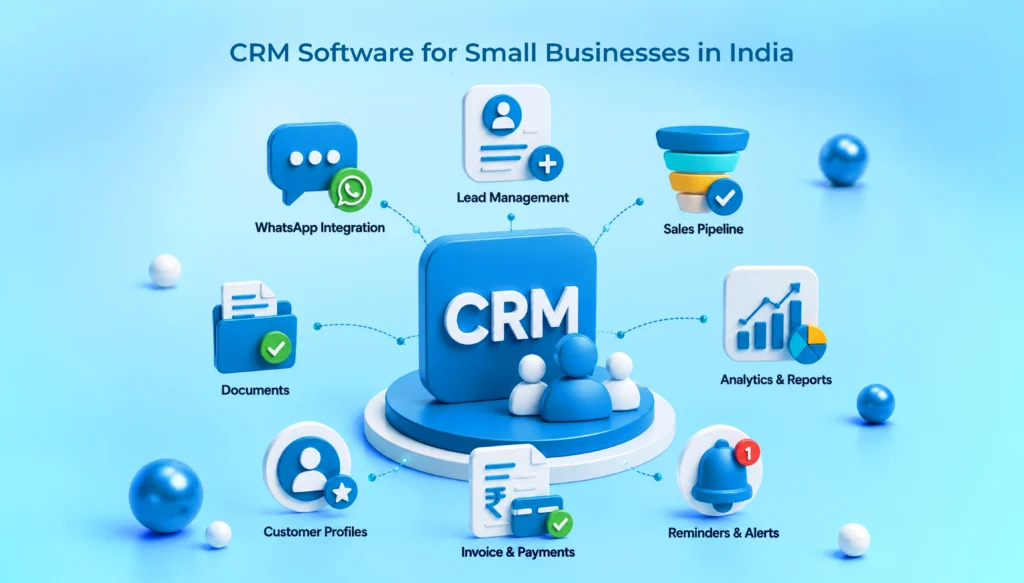
Comparing CRM platforms makes it easier to identify which solution matches your business requirements.
| CRM Software | Best For | Main Strength |
|---|---|---|
| Zoho CRM | Small and growing businesses | Customization and automation |
| HubSpot CRM | Startups and marketing teams | User-friendly free CRM tools |
| Freshsales | Sales teams | Sales-focused features |
| Salesforce Starter Suite | Growing businesses | Broader CRM ecosystem |
| Pipedrive | Sales-driven companies | Visual sales pipeline |
| monday CRM | Collaborative teams | Customizable workflows |
| EngageBay | Small marketing teams | CRM and marketing tools |
The comparison focuses on general suitability rather than a universal ranking. Features, subscription limits, and pricing can change between plans.
How to Choose the Best CRM Software for Your Small Business
Selecting a CRM platform requires more than comparing subscription prices. You should consider how the software will support your existing business processes and future growth.
Here are important factors to evaluate before making a decision.
1. Understand Your Business Requirements
Start by identifying the problems you want your CRM system to solve.
For example:
- Do you need to manage incoming leads?
- Do you want to track customer conversations?
- Does your sales team need follow-up reminders?
- Do you require email marketing integration?
- Do you need customer support management?
- Do you want automated sales reports?
Create a list of essential features before comparing different platforms.
2. Consider Your Budget
Small businesses often have limited budgets, so subscription costs should be evaluated carefully.
Some CRM providers offer free plans, while others provide free trials or paid subscriptions. Remember that the total cost may include additional users, premium features, integrations, onboarding, and taxes.
Compare the annual cost rather than looking only at the advertised monthly price.
3. Look for an Easy-to-Use Interface
A CRM system should make daily work easier rather than introduce unnecessary complexity.
Choose software that allows employees to:
- Add new contacts quickly
- Update customer information
- Track sales opportunities
- Schedule follow-ups
- Find customer records easily
- Generate basic reports
An easy-to-use platform is more likely to be adopted consistently by your team.
4. Check Integration Options
Your CRM should work with the tools your business already uses.
Common integrations include:
- Email platforms
- Website contact forms
- Accounting software
- Marketing applications
- Calendar applications
- Customer support systems
- E-commerce platforms
- Business communication tools
If your company relies on WhatsApp, confirm whether the CRM supports the required integration directly or through an approved third-party service. Check whether additional charges or API setup are necessary.
5. Review Automation Features
Automation can reduce repetitive administrative work.
For example, a CRM can help assign incoming leads, create follow-up tasks, send notifications, and update deal stages based on configured rules.
Choose automation features that solve actual business problems instead of paying for tools your team will rarely use.
6. Check Data Security and Support
Customer records can contain confidential business information. Before selecting a CRM, review its security practices, user permissions, backup policies, data export options, and customer support availability.
It is also useful to check whether the provider offers onboarding resources, documentation, and training.
Benefits of CRM Software for Small Businesses
CRM software can improve several areas of business operations. Its main purpose is to help companies build stronger customer relationships while organizing sales and communication activities.
Better Customer Management
A CRM system stores customer information in one place. Employees can access relevant details without searching through multiple spreadsheets or email conversations.
Improved Lead Tracking
Businesses can monitor new inquiries, identify promising prospects, and follow each opportunity through the sales process.
Fewer Missed Follow-Ups
Reminders and automated tasks help sales representatives contact customers at the appropriate time.
Increased Team Productivity
Employees spend less time maintaining manual records and more time communicating with customers and completing important tasks.
Better Sales Visibility
Sales dashboards help business owners understand the number of open deals, expected revenue, and progress toward sales targets.
Stronger Customer Relationships
Access to customer history makes it easier to provide relevant communication and consistent service.
More Organized Business Operations
A centralized customer database helps teams work with consistent information and reduces unnecessary duplication.
Free CRM vs Paid CRM: Which Is Better?
Free and paid CRM platforms can both be useful, depending on the size and requirements of your business.
| Factor | Free CRM | Paid CRM |
|---|---|---|
| Initial cost | Usually free | Subscription required |
| Contact management | Basic features | Often more advanced |
| Sales tracking | Limited or standard | More customization |
| Automation | Often restricted | More options |
| Reporting | Basic reports | Advanced analytics on supported plans |
| Integrations | May be limited | Usually broader options |
| Customer support | Varies by provider | Support options vary by plan |
A free CRM is often suitable for freelancers, startups, and small teams that are beginning to organize their customer records.
A paid CRM may be more appropriate when a business needs advanced reporting, larger contact limits, multiple users, automation, or specialized integrations.
Before upgrading, make sure the additional features will provide meaningful value to your business.
Common Mistakes to Avoid When Selecting CRM Software
Choosing the wrong CRM can create unnecessary expenses and make daily operations more complicated.
Avoid these common mistakes:
- Choosing only by price: A low-cost platform may not provide the features your business needs.
- Ignoring team requirements: Employees should be involved in evaluating the system they will use.
- Buying unnecessary features: Avoid paying for advanced tools that do not support your current business objectives.
- Not checking integrations: Confirm compatibility with your existing applications before purchasing.
- Skipping employee training: A CRM system is only useful when employees understand how to use it.
- Ignoring data quality: Duplicate, incomplete, or outdated customer records can reduce CRM effectiveness.
- Failing to review scalability: Choose a solution that can support your business as its customer base and team grow.
A practical CRM implementation should begin with clear objectives, organized customer data, and a simple sales process.
Frequently Asked Questions About CRM Software for Small Businesses
1. What is the best CRM software for small businesses?
The best CRM depends on your business requirements. Zoho CRM is a strong option for businesses seeking customization and value. HubSpot is useful for companies that want accessible CRM tools and marketing capabilities. Freshsales and Pipedrive are worth considering for sales-focused teams.
2. Is there any free CRM software for small businesses?
Yes. HubSpot CRM and Zoho CRM offer free options, while other providers may offer free plans or trials. Free subscriptions usually have limitations on users, contacts, automation, or advanced features. Review the current plan details before choosing one.
3. Is CRM software suitable for startups?
Yes. CRM software can help startups organize leads, maintain customer records, track sales opportunities, and manage follow-ups. A startup can begin with a simple free CRM and upgrade when its business requirements increase.
4. How much does CRM software cost for a small business?
CRM costs vary depending on the provider, subscription plan, number of users, and selected features. Some platforms offer free plans, while paid subscriptions may charge per user or seat. Additional costs can apply for integrations, premium automation, and implementation.
5. Can CRM software improve sales for a small business?
CRM software can support sales improvement by organizing customer information, tracking opportunities, scheduling follow-ups, and providing sales reports. It does not guarantee higher sales, but it helps teams manage their sales activities more consistently.
Conclusion
Finding the best CRM software for small business is an important step toward improving customer management, sales organization, and daily productivity. Platforms such as Zoho CRM, HubSpot CRM, Freshsales, Salesforce Starter Suite, Pipedrive, monday CRM, and EngageBay offer different capabilities for businesses with different requirements.
For businesses looking for customization and value, Zoho CRM is worth evaluating. HubSpot is a useful starting point for companies that want accessible CRM tools, while Freshsales and Pipedrive are strong options for sales-focused teams.
Before choosing a platform, compare its pricing, features, integrations, ease of use, security, and scalability. Start with a free plan or trial when available, test the software with real business activities, and select a CRM that your team can use consistently.
The right CRM system can help a small business build stronger customer relationships, manage leads more effectively, and create a more organized foundation for long-term growth.
| Read More : Health Insurance for Small Business Owners: Coverage, Benefits, Costs, and How to Choose |
One thought on “Best CRM Software for Small Business”